LARUS Stand-Alone Variometer
1.732,64 € – 2.998,80 €
incl. VAT plus shipping
Variometer system consisting of a sensor box and a 57 mm display, featuring vario, wind, speed-to-fly and artificial horizon. Works without a flight computer and can be installed alongside any existing instrumentation without modifying it.
- Direct, gust-filtered vario, in tune with your feel for thermals
- Continuous wind measurement, even without circling
- Full-size round display for the 57 mm cutout, readable at a glance
“The vario matches exactly what I feel in the seat of my pants.”
Stefan Langer, three-time World Champion in the 18 m class
Delivery time: 5-7 Werktage / Business Days

Stefan Langer
Three-time World Champion, No. 1 in the IGC World Ranking (as of 09/2026). Flies LARUS in his AS 33 Me and his LS3, in training, in competitions and when traveling by glider.
Why I fly with LARUS
“The most important thing in gliding is knowing what’s happening to the air I’m flying through right now.”
FLYING LINES
“The fast, direct vario helps me fly lines very efficiently. The feedback loop is much faster: I can feel out where the air is rising or sinking. Especially at high wing loading and in gliders that give you little feedback from thermals, it’s a game changer.”
SPEED TO FLY
“For speed to fly, the key is knowing when to slow down and when to speed up. Filtering out horizontal gusts minimizes errors, and speeding up at the right moment saves valuable energy.”
CLIMBING
“Thanks to its short filter time, the centering aid works with very little delay. It shows me which way I need to shift my circle, so I can find even small, narrow thermal cores.”
WIND IN THE MOUNTAINS
“Especially in the mountains, the highly precise live wind is a big help for seeing which slope is working. It’s also a gain in safety: I notice much sooner when I’m flying into the lee.”
ONE NEEDLE
“Also important: there’s only one vario needle, one clear display that I trust.”
Measure, don’t estimate
That is the philosophy behind LARUS. GNSS provides position, altitude and ground speed in three dimensions. The inertial measurement unit (IMU) measures acceleration, rotation rate and magnetic field, while the pressure sensors measure static and dynamic pressure. Dedicated algorithms in the sensor box combine all of this into vario, wind and attitude.
Vario
A Kalman filter combines GNSS altitude, GNSS velocity and the IMU’s vertical acceleration, with no delay and without pressure readings. LARUS derives total energy compensation from GNSS ground speed and the averaged horizontal wind, so short horizontal gusts are largely filtered out.
Kalman filter combining GNSS and IMU · Vertical speed accuracy approx. 2.5 cm/s (Competition) or approx. 5 cm/s (Essential)
Wind
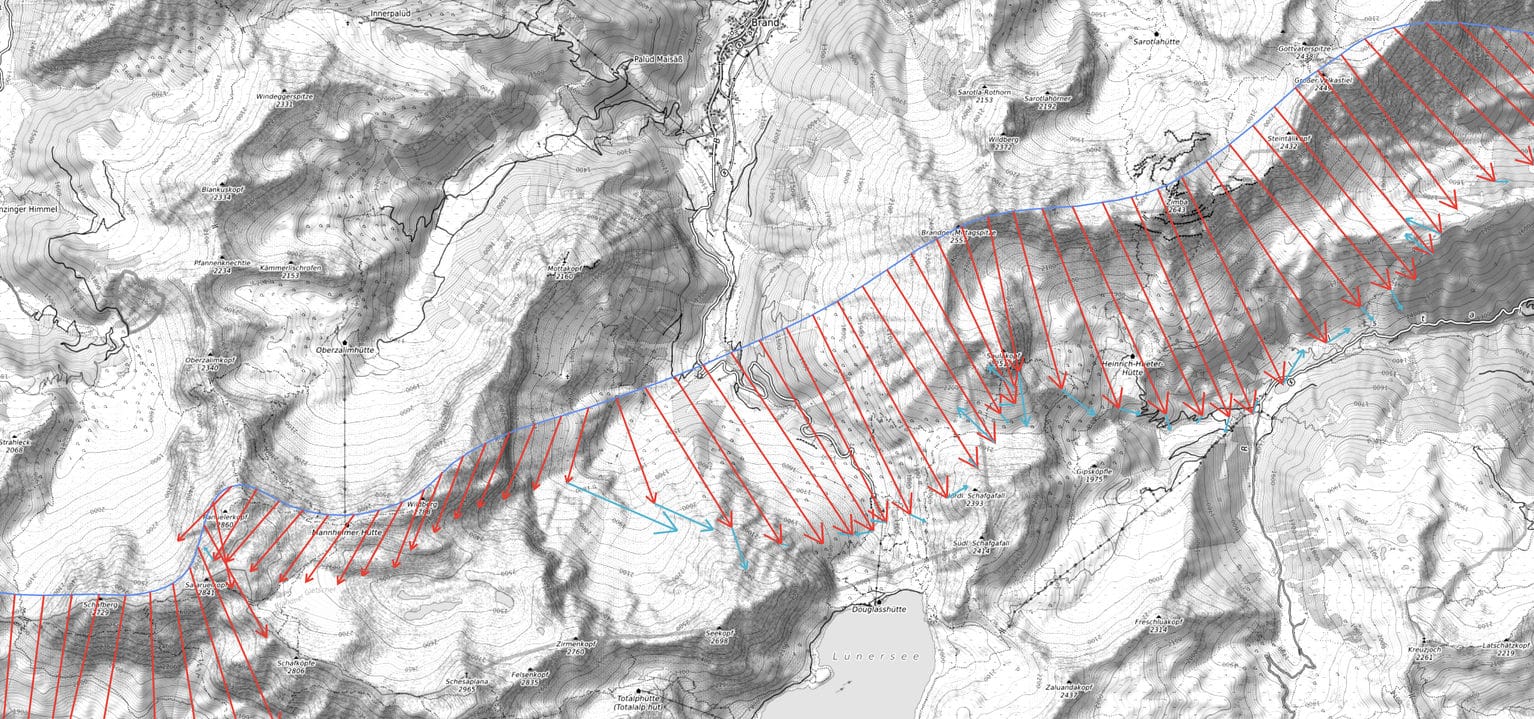
LARUS determines the wind from the three-dimensional difference between ground speed and airspeed. It provides both live wind and average wind, in straight flight as well as in circles. "Competition" measures heading with two GNSS antennas, so wind direction and strength remain accurate even on long straight glides under cloud streets. "Essential" determines heading from GNSS and IMU while circling and automatically calibrates the magnetic compass for straight flight in the process.
Straight flight: live wind 5 s, average wind 30 s (adjustable) · Circling: last circle or entire circling phase · Heading approx. 0.05° (Competition) or 1–2° (Essential, with proper installation)
Pressure altitude and airspeed
Static pressure provides pressure altitude and flight level, while dynamic pressure provides indicated airspeed (IAS). LARUS derives air density in real time by comparing GNSS altitude with pressure altitude, without measuring temperature or humidity. IAS and air density together give the true airspeed (TAS), which LARUS uses to calculate the wind.
Static pressure: pressure altitude, flight level, air density · Dynamic pressure: IAS · IAS and air density: TAS
LARUS was developed by the LARUS project team led by Prof. Dr. Klaus Schäfer, Maximilian Betz and Winfried Simon. SteFly manufactures and distributes it under license, and the license fees secure its long-term development. Firmware updates are free of charge. All details on the sensor box →
No corners, no wasted space
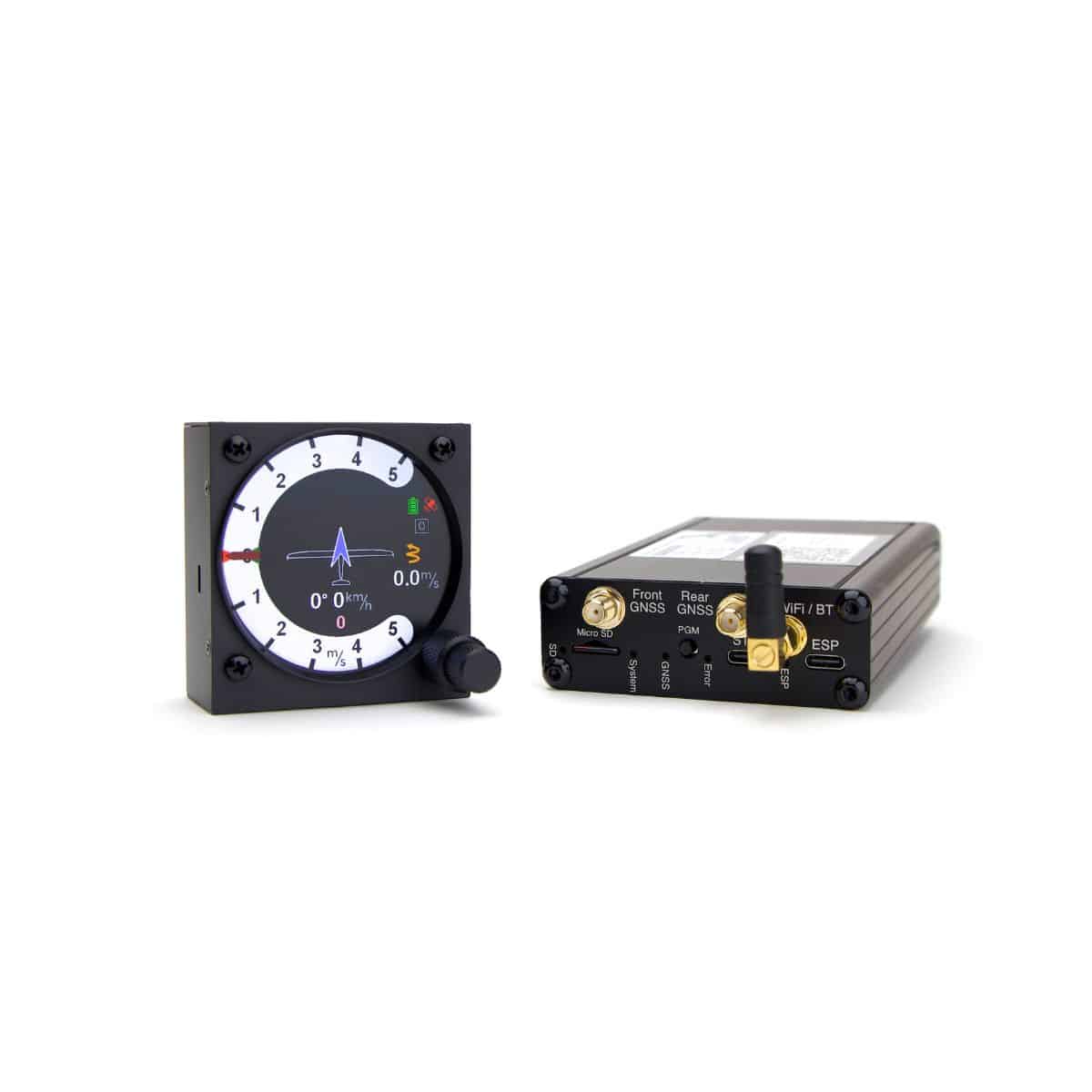
Round like the instrument cutout: the LARUS Vario Display uses the full 57 mm diameter to show information. Two concentric rotary knobs guide you through the menus, and colors distinguish short-term and long-term values for vario and wind.
Vario
Current and average climb, shown in different colors, plus the numeric value.
Wind
Arrows for current and average wind, with numeric value and change.
SPEED TO FLY
Symbol for speed-to-fly or vario mode and a pointer for MacCready. Toggle between modes with a vario/speed-to-fly switch, for example on the SteFly remote stick.
CENTERING AID
A thermal is never round: the centering aid shows which segment has the best climb, in either “dotted” or “spider web” display.
Horizon
Additional aid under VFR, especially for setting up the mounting orientation. Can be switched off for competitions.
Also: Battery charge level · Audio via external loudspeaker (3.5 mm jack) · Mounting orientation 0° / 90° / 180° / 270° · Mounting with three M3 screws

Essential or Competition?
Both versions share the same hardware, apart from the GNSS receivers and antennas. Every LARUS uses high-precision receivers that track four satellite systems simultaneously: GPS, GLONASS, Galileo and BeiDou. The key difference is how heading is determined. Competition measures it with two GNSS antennas. Essential determines it from GNSS and IMU while circling and, in straight flight, uses the magnetic compass that was automatically calibrated in the process.
| EssentialSingle-GNSS | CompetitionDual-GNSS | |
|---|---|---|
| RECOMMENDED FOR | Training and relaxed cross-country flying | Competitions, ambitious cross-country flying, frequent mountain flying |
| Number of GNSS ANTENNAS | 1 | 2 |
| GNSS RECEIVER | u-blox M9N, single-band | u-blox F9P, dual-band |
| Heading | from GNSS and IMU while circling, in straight flight via the automatically calibrated magnetic compass | two GNSS antennas (D-GNSS) |
| HEADING ACCURACY | approx. 1–2° (with proper installation) | ca. 0,05° |
| CROSSWIND AT 200 KM/H | uncertainty up to approx. 7 km/h (at 2°) | uncertainty approx. 0.2 km/h |
| WIND IN STRAIGHT FLIGHT | yes, via the magnetic compass calibrated while circling | yes, via GNSS heading, even under long cloud streets |
| DISTANCE FROM MAGNETIC INTERFERENCE | important: at least 20 cm from loudspeakers and magnets | less sensitive, which makes installation and setup easier |
| VERTICAL SPEED ACCURACY | approx. 5 cm/s | approx. 2.5 cm/s |
| HORIZONTAL SPEED ACCURACY | approx. 0.1 km/h | approx. 0.05 km/h |
| WEIGHT WITH ONE VARIO DISPLAY | 405 gSensor box with antenna 300 g + display 105 g | 735 gSensor box with antennas 630 g + display 105 g |
| POWER CONSUMPTION WITH ONE VARIO DISPLAY | approx. 205 mA at 13 VSensor box 120 mA + display 85 mA | approx. 235 mA at 13 VSensor box 150 mA + display 85 mA |
Two-seater: each additional Vario Display weighs 105 g and draws approx. 85 mA.
Upgrade later? We can convert your LARUS Essential to Competition at any time. To the upgrade →

Independent of your flight computer
LARUS Stand-Alone also works without a flight computer: its own sensor box, its own GNSS antenna(s), its own display. Your existing system stays exactly as it is. The only things shared are static, pitot and the onboard power supply.
Combined with a SteFly NAV LARUS data is put to even better use: the LARUS wind feeds into the final glide calculation, and MacCready, ballast and other settings are synchronized automatically. The connection is made via RS232 cable or Bluetooth, and also works with other devices running XCSoar or OpenSoar as their navigation app.
Mount the sensor box
The sensor box is mounted firmly in the fuselage so that it cannot move under acceleration. Any mounting orientation is possible and is stored in the configuration file. Keep at least 20 cm away from loudspeakers, magnets and moving metal parts such as control rods. Static and pitot are connected to the existing lines using T-pieces. Power is supplied with 9–28 V via RJ45.
Position the antennas
The GNSS antennas need a clear view of the sky (even while circling) and must not be shadowed by metal or carbon fibre parts. They are installed roughly level in flight attitude. On the LARUS Competition, two antennas are mounted at least 1 m apart. In a carbon fibre fuselage, a canopy antenna, an external antenna on the fuselage spine or installation under the GRP engine bay doors are possible options..
Install the display
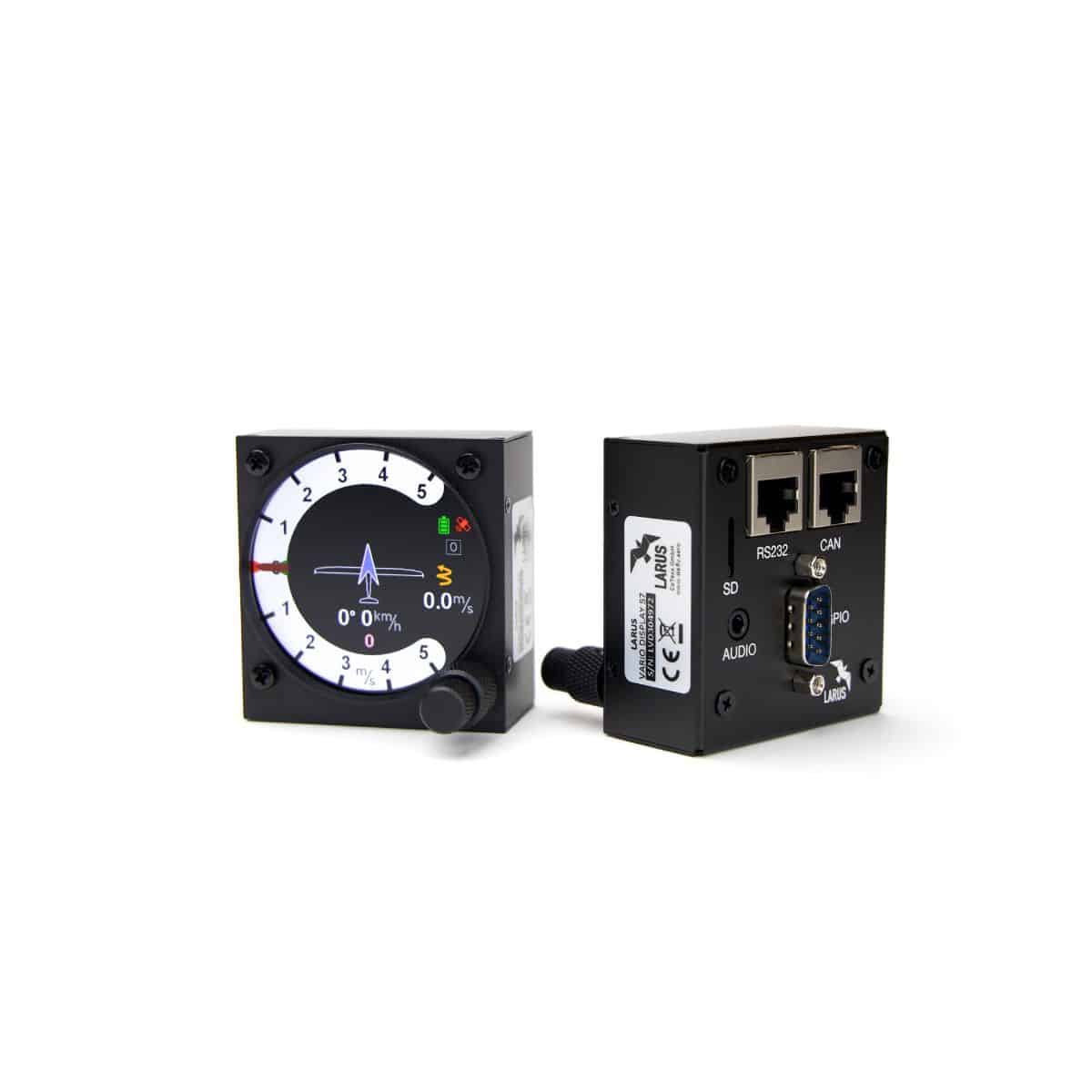
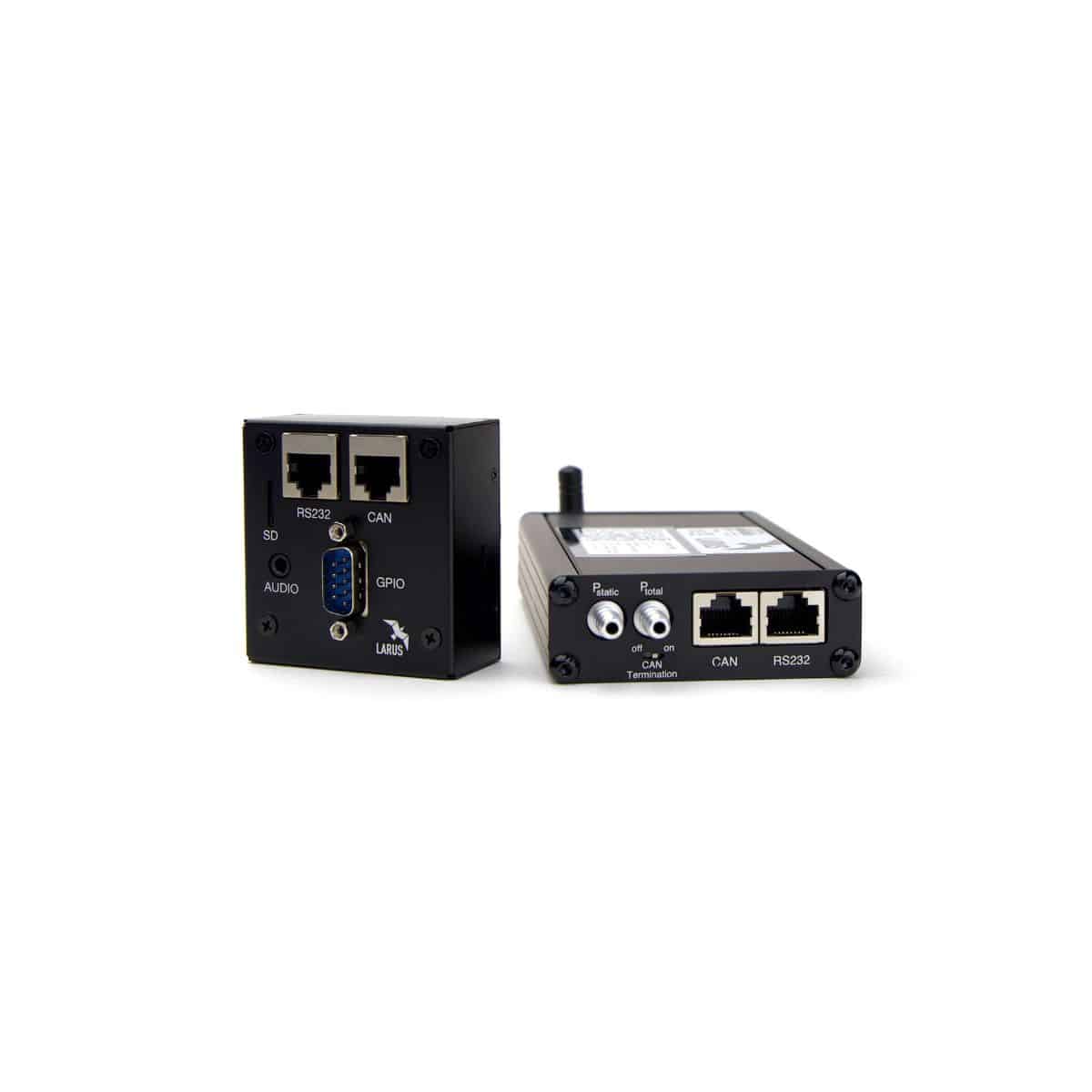
The display is mounted in a free 57 mm cutout with three M3 screws and can be rotated in 90° steps. It connects to the sensor box via CAN using a standard patch cable (RJ45), which also supplies power. In a two-seater, two displays are connected via a CAN splitter. Finally, the mounting orientation is calibrated on the display.
You’ll find manuals, drawings and 3D print files for mounts on the product pages LARUS Sensor Box or LARUS Vario Display.
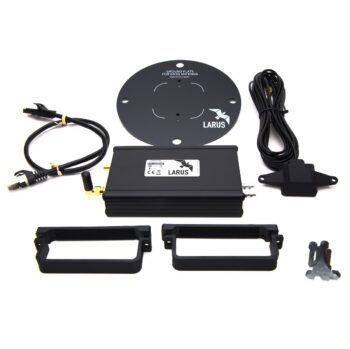
Scope of delivery and technical data
IN THE BOX
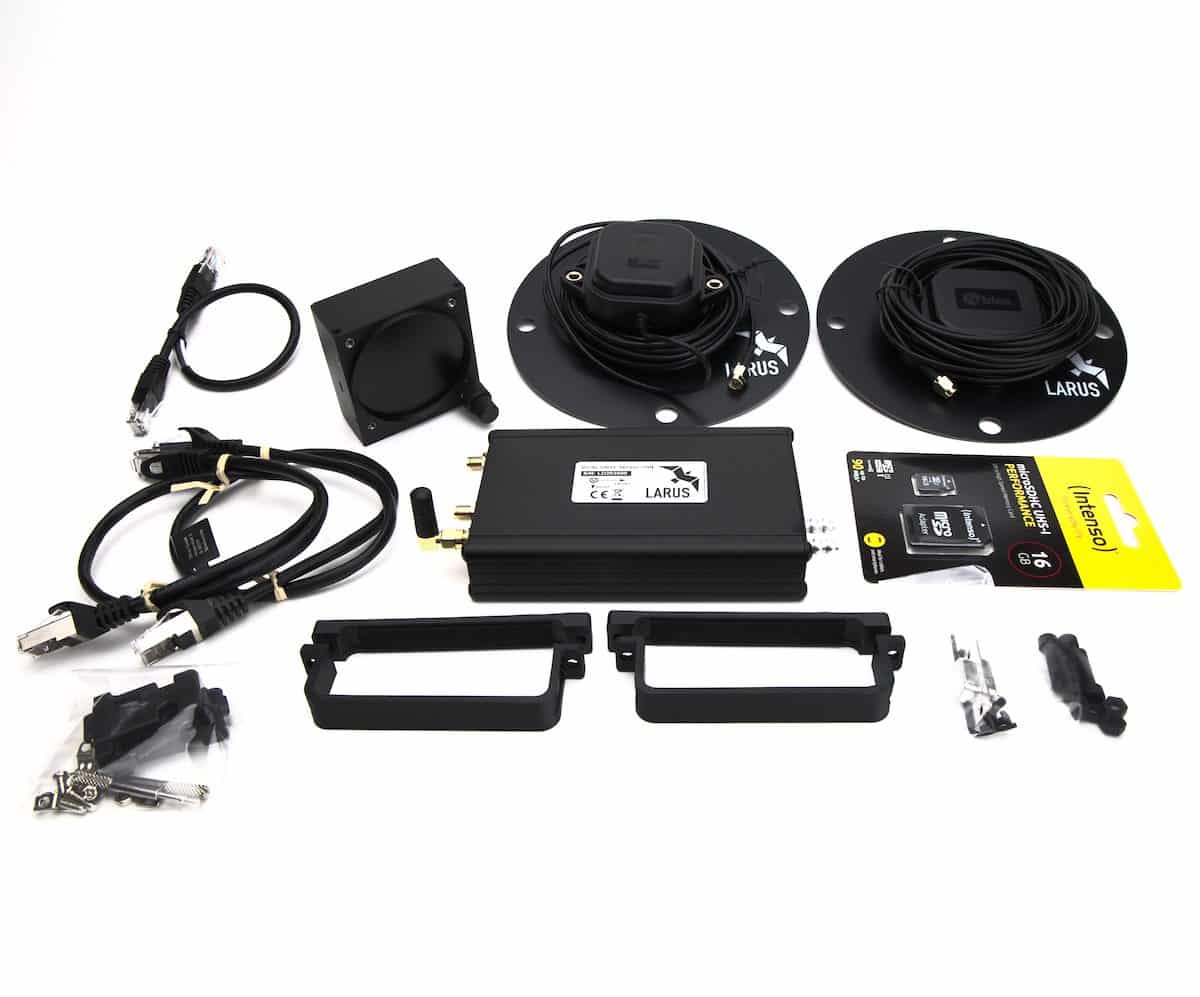
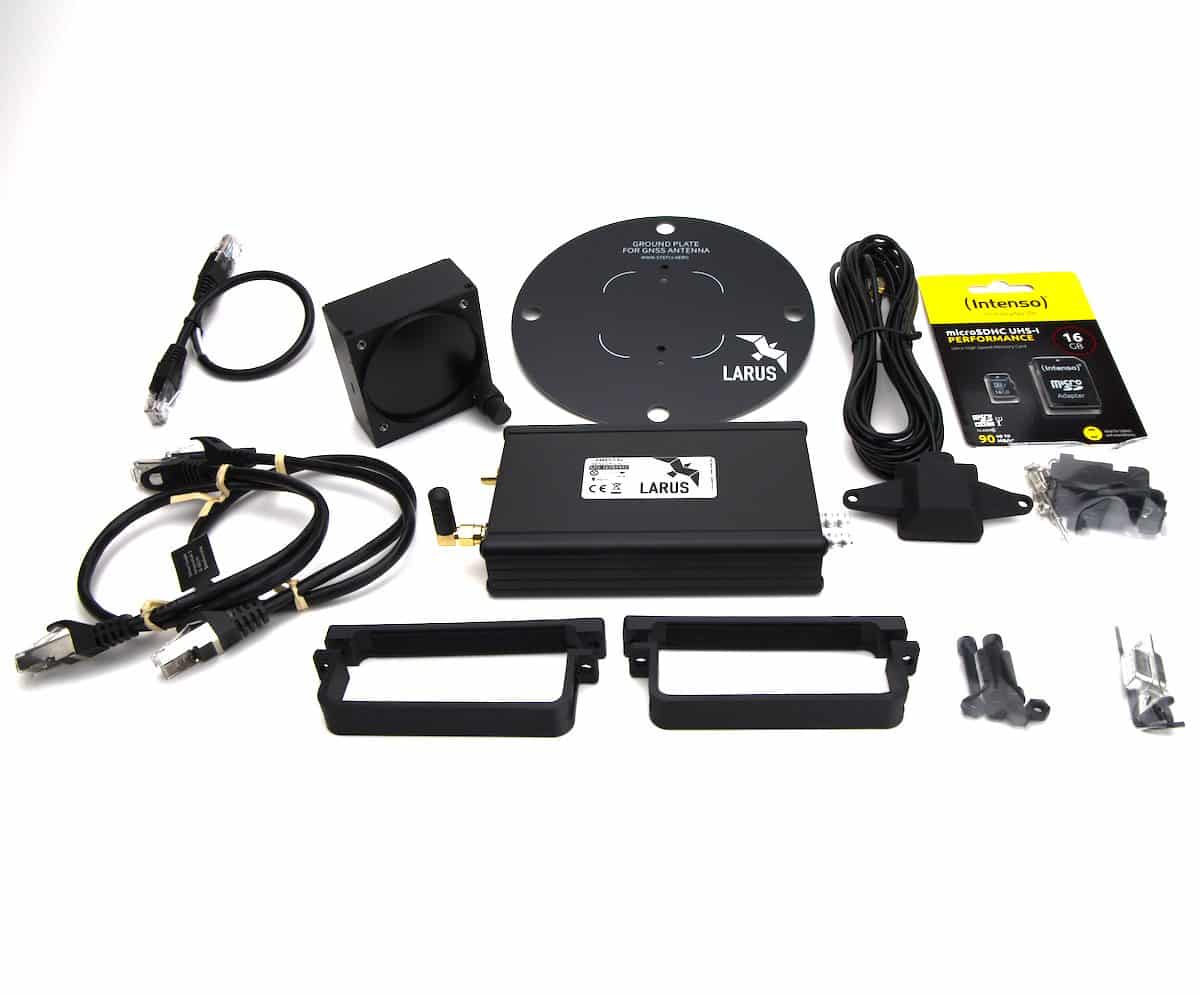
- LARUS Sensor Box (Essential or Competition)
- LARUS Vario Display 57 mm (2× for the two-seater version)
- 1 GNSS antenna (Essential) or 2 GNSS antennas (Competition), each with ground plate
- 2 mounting clamps with screws and nuts
- Micro SD card for the sensor box (32 GB) with adapter
- RJ45 patch cable: 0.5 m, plus 3 m for two-seaters
- Two-seater: CAN splitter
- Display accessories: mounting screws, micro SD card with adapter, 9-pin D-sub solder connector with housing, hex key for the rotary knobs, RJ45 connecting cable 0.5 m
Technical Data
| Power supply | 9–28 V DC (RJ45) · 5 V USB-C |
|---|---|
| Power consumption | Sensor box 120 mA (Essential) or 150 mA (Competition) at 13 V · Display 85 mA at 13.2 V |
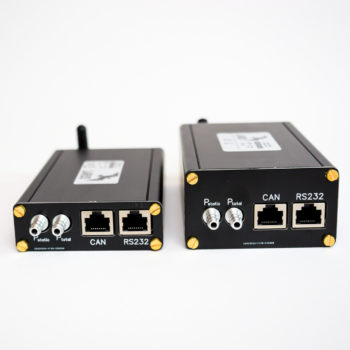
| Sensor box interfaces | 2 × RS232 · CAN · Bluetooth · GNSS (SMA) · microSD |
| Display interfaces | CAN · 2 × RS232 · D-sub 9, e.g. for a vario/speed-to-fly switch · Loudspeaker 3.5 mm, max. 3 W into 8 Ω · microSD |
| Pressure ports | Static and pitot, 6 mm hose barbs |
| IMU | XSENS MTi-1 |
| Operating temperature | −30 °C to +60 °C |
| Dimensions | Sensor box 145 × 79 × 28 mm (incl. connectors) · Display 60.5 × 63.4 × 31.2 mm (excl. knob), 57 mm cutout, 3 × M3 |
| Weight | Sensor box incl. antenna(s) 300 g (Essential) or 630 g (Competition) · Display 105 g |
| Housing | Aluminium, black anodised |
| Certification | Not certified, for use under VFR conditions only |
| Firmware | Free updates via microSD · Source code on GitHub (software GPL v3, hardware CC BY-NC-SA 4.0) |
WHAT DOES LARUS MEAN?
Larus is a genus of gulls that includes some of the largest gull species, skilled ridge soarers and dedicated thermal flyers. LARUS gives us pilots what we can’t sense for lack of the right sensory organs: speed and altitude, wind direction and strength, and whether the surrounding air is rising or sinking.
Pre-Flight FAQ
Can I install LARUS alongside my existing flight computer?
Yes. LARUS Stand-Alone works independently, with its own sensor box, its own GNSS antenna(s) and its own display. Your existing system remains unchanged. All you need is static pressure, total pressure from the pitot line (via T-piece) and a 12 V power supply from the aircraft battery. The display fits into any free 57 mm cutout.
Does LARUS work with SteFly NAV, XCSoar and OpenSoar?
Yes, via RS232 or Bluetooth. The LARUS driver is built into XCSoar and OpenSoar. In OpenSoar, current and average wind can be shown as two arrows on the map. A flight computer is not required, though.
Do I need a TE probe?
No. LARUS calculates the vario from GNSS and IMU, and the total energy compensation electronically from GNSS ground speed and the average wind. Only static and pitot are connected, for pressure altitude, airspeed and air density.
Is there a vario tone?
Yes, via an external loudspeaker connected to the display’s 3.5 mm jack (4–8 Ω, max. 3 W into 8 Ω). With a flight computer connected, XCSoar or OpenSoar can also generate the tone.
My fuselage is carbon fibre. Does GNSS reception work?
Yes. Depending on the glider, certain areas of the fuselage may be made of GRP or can be modified (for example in the luggage compartment for the ELT antenna, or the engine bay doors). Alternatively, canopy antennas or teardrop-shaped external antennas on the fuselage spine can be used. Let us know your glider type when ordering and we will supply suitable antennas and ground plates. Proven solutions already exist for many types.
What about two-seaters?
Two LARUS Vario Displays can be connected to one sensor box via a CAN splitter. Simply select the “Two-seater (2 displays)” option when ordering. A second display can also be added later.
Can I upgrade Essential to Competition later?
Yes. You send us the sensor box with SD card and GNSS antenna, we convert it, and you receive a preconfigured LARUS Dual-GNSS with two antennas. To the upgrade →
Is there an artificial horizon, and can it be locked for competitions?
Yes, on the Vario Display and in XCSoar/OpenSoar. It can be deactivated for competitions; see the manual for details. The horizon is an additional aid, mainly for setting up the mounting orientation. LARUS is not certified and may only be used under VFR conditions.
Which altitude does LARUS use, and does it show pressure altitude and flight level?
For the vario, LARUS combines GNSS altitude, GNSS velocity and the IMU’s vertical acceleration, without pressure readings. Pressure altitude and flight level are derived from static pressure and can be output.
How do I get updates?
Updates for both the sensor box and the display are freely available and free of charge: copy the update file to the microSD card and switch the device on. The source code is available on GitHub.
Order LARUS Stand-Alone
Please select the version and number of displays above. Let us know your glider type and we will supply suitable antennas and ground plates.
DELIVERY TIME
5–7 working days, shipped via DHL, FedEx or UPS. shipping
RIGHT OF WITHDRAWAL
14-day right of withdrawal for consumers. Right of Withdrawal
ADVICE & SUPPORT
Before you buy, during installation and in everyday flying, we’re happy to help.
info@stefly.aero
+49 8259 828781
Related products
-

LARUS Vario Display 57 mm
456,96 €incl. 19% VAT
plus shipping
Delivery time: 3-5 Werktage / Business Days
-

LARUS Sensor Box
1.339,94 € – 2.159,85 €incl. VAT
plus shipping
Delivery time: 5-7 Werktage / Business Days
-
LARUS Essential to Competition Upgrade
790,16 €incl. 19% VAT
plus shipping
Delivery time: 5-7 Werktage / Business Days